Start here
The full walkthrough
3 minutes, narrated, start to finish. Every step below also has its own short clip if you'd rather watch just one part.
What you'll do
The 7 steps at a glance
Log in
Sign in with your school email and the temporary password that was sent over to you.
Open Transfer Athletes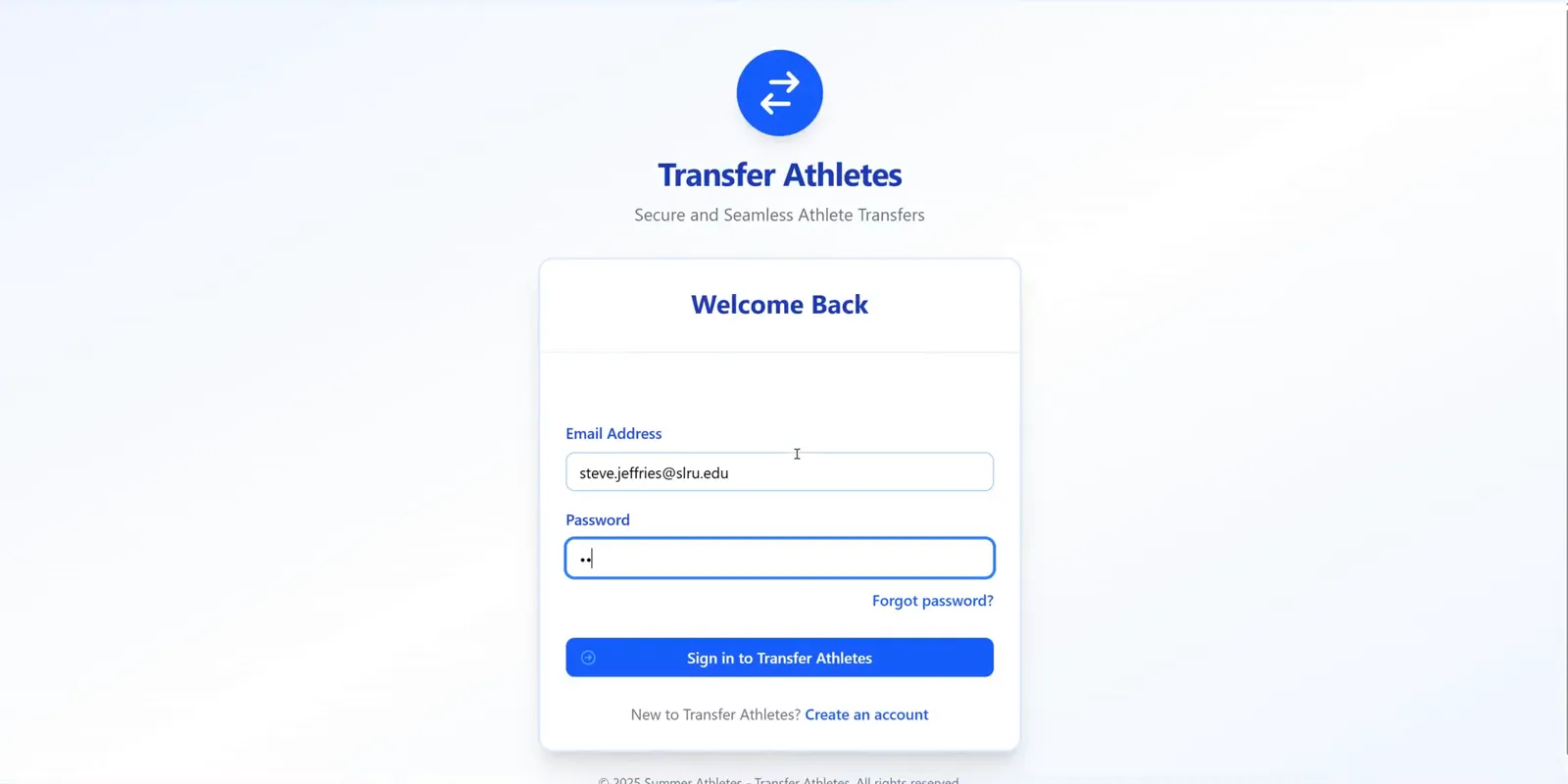
Invite your staff
To add your staff, click Settings, toggle over to the Licenses tab, enter their email, and hit Send Invite. They'll get an email and create their own login to sign in with.
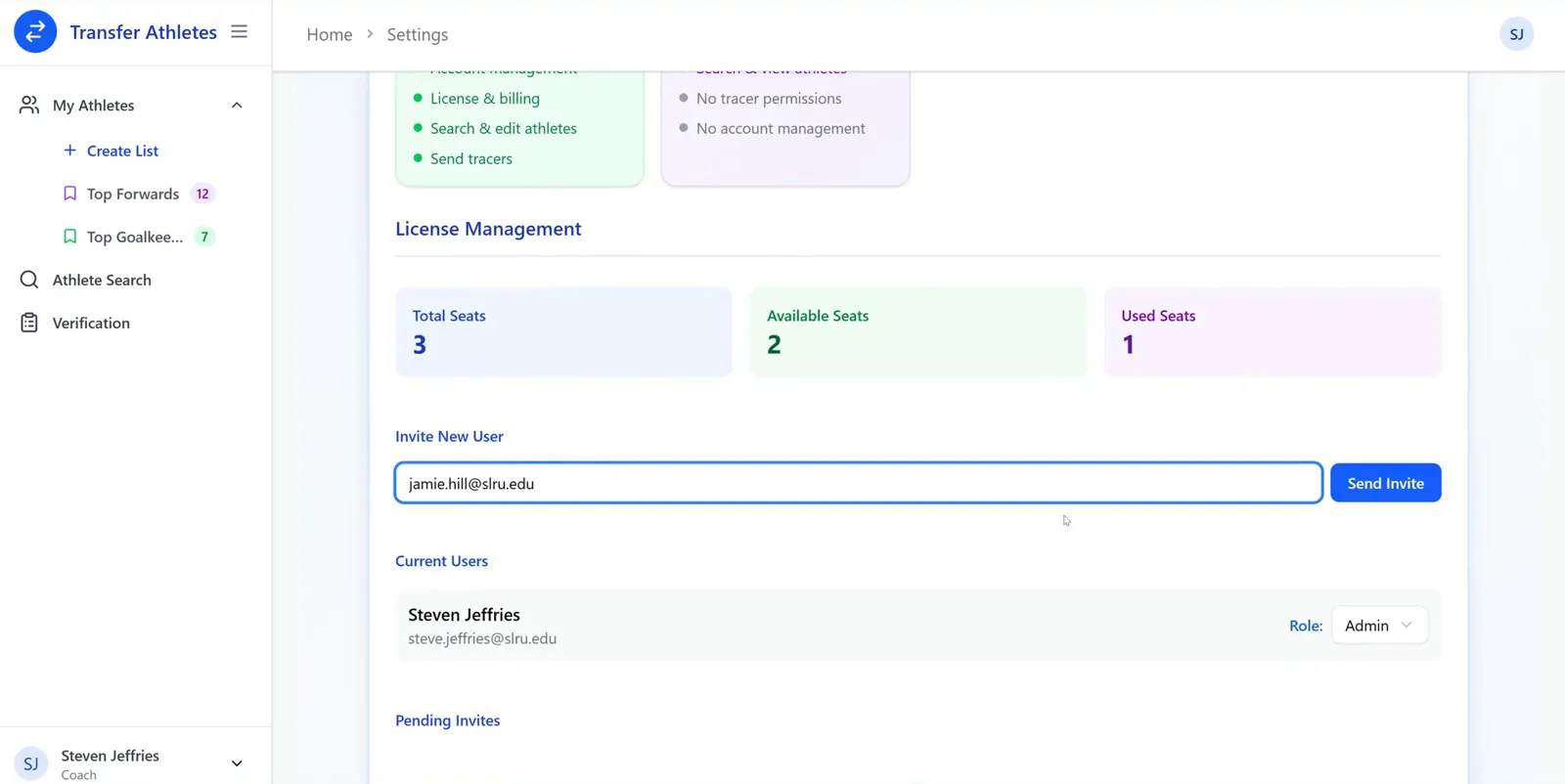
The same screen shows how many seats you have left, everyone currently on the account, and any invites still pending.
- Admin — full access: account management, license & billing, search & edit athletes, send tracers.
- Coach — limited access: search & view athletes only.
Install the extension
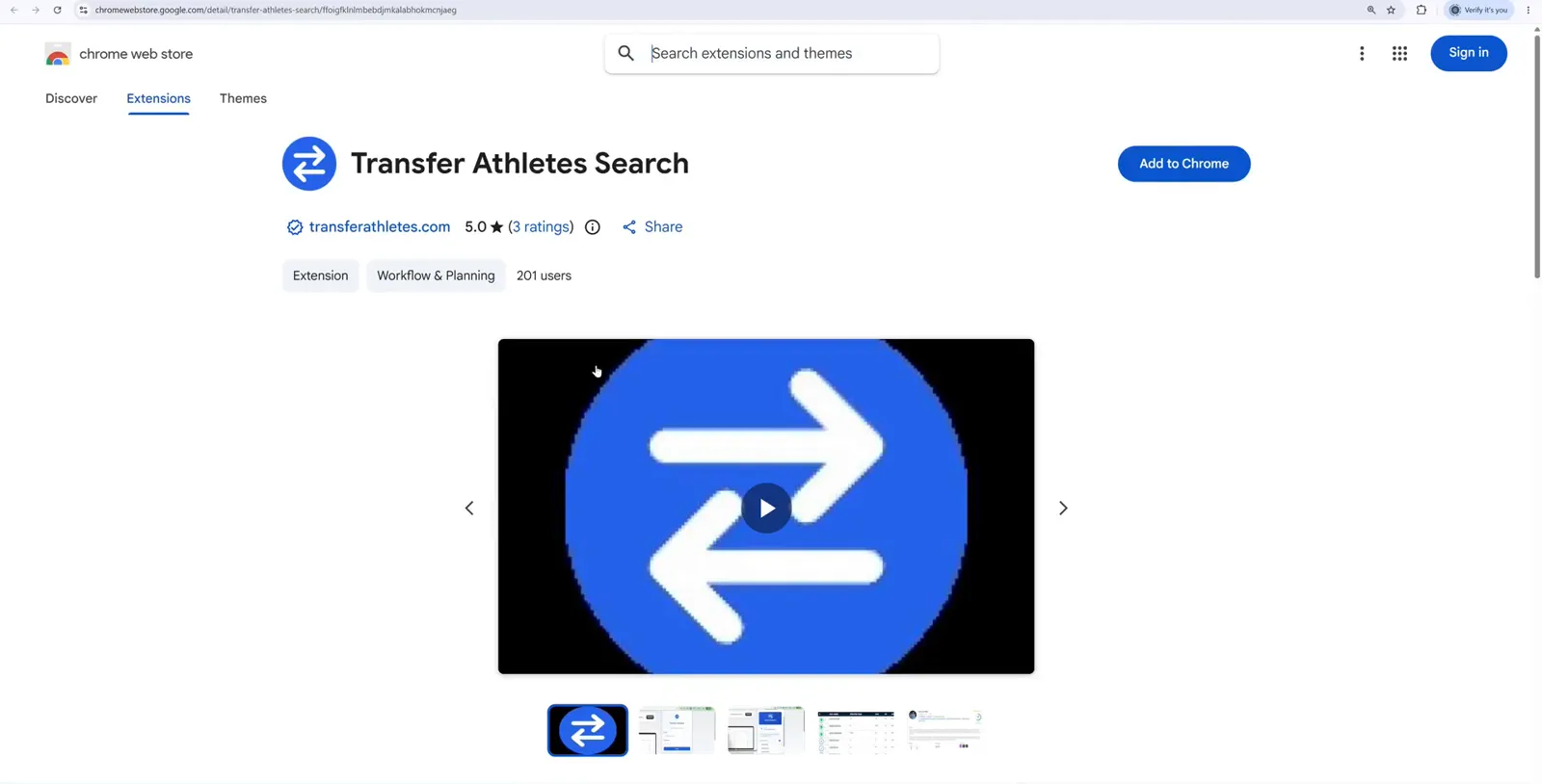
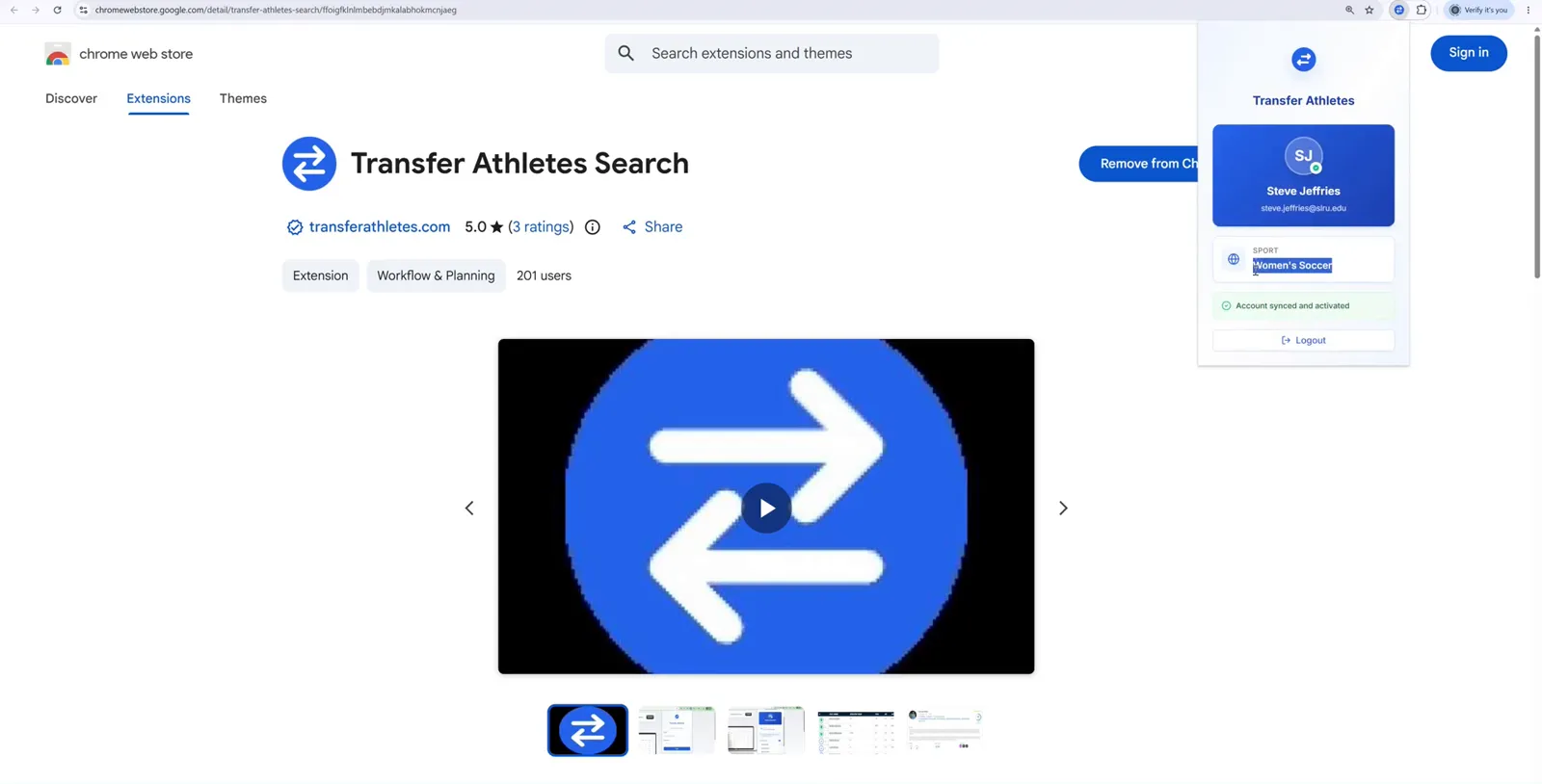
Next you'll install the app that links your new account to your transfer portal account. Click the link below right from this guide.
Install the extension1. Add it. Click the big blue Add or Get button, depending on your browser, then confirm in the popup.
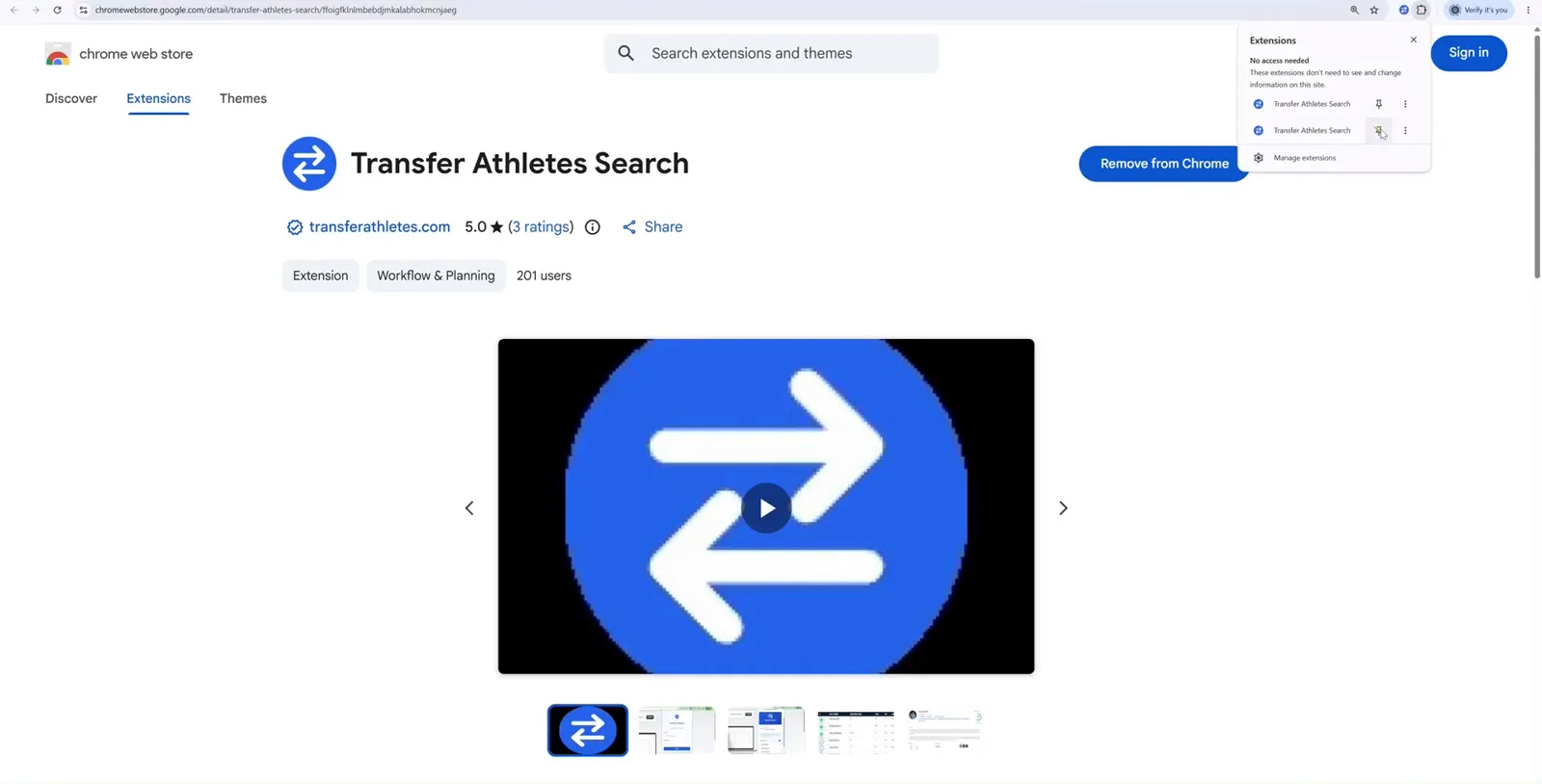
2. Pin it so the blue logo stays visible in your toolbar. Click the puzzle-piece icon at the top right of your browser, then click the pin next to Transfer Athletes Search.
3. Sign in with the same login details from Step 1. Click the blue logo in your toolbar and enter your email and password.
Search an athlete
There are three ways to search with Transfer Athletes. This is the first — one athlete at a time.
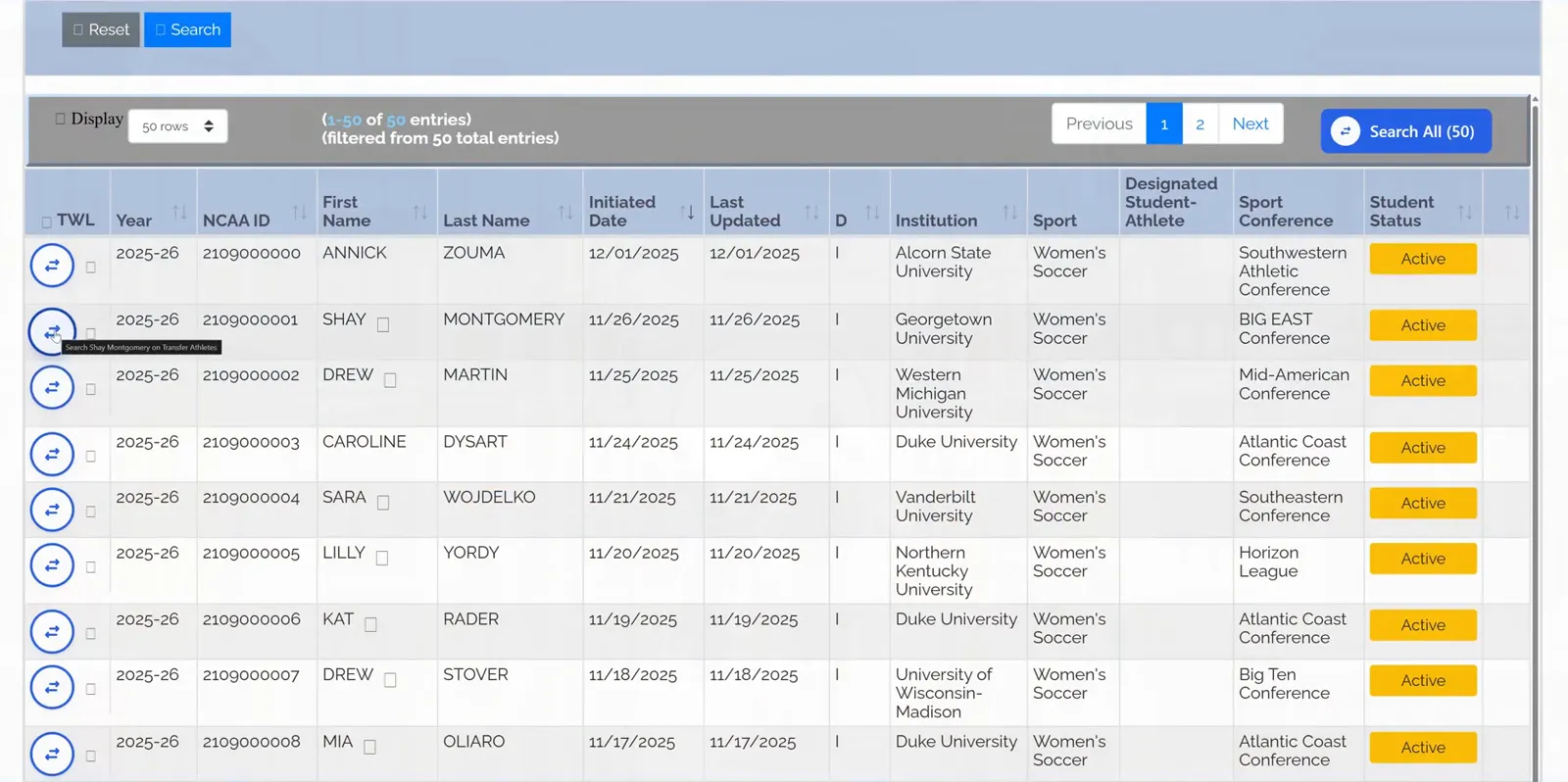
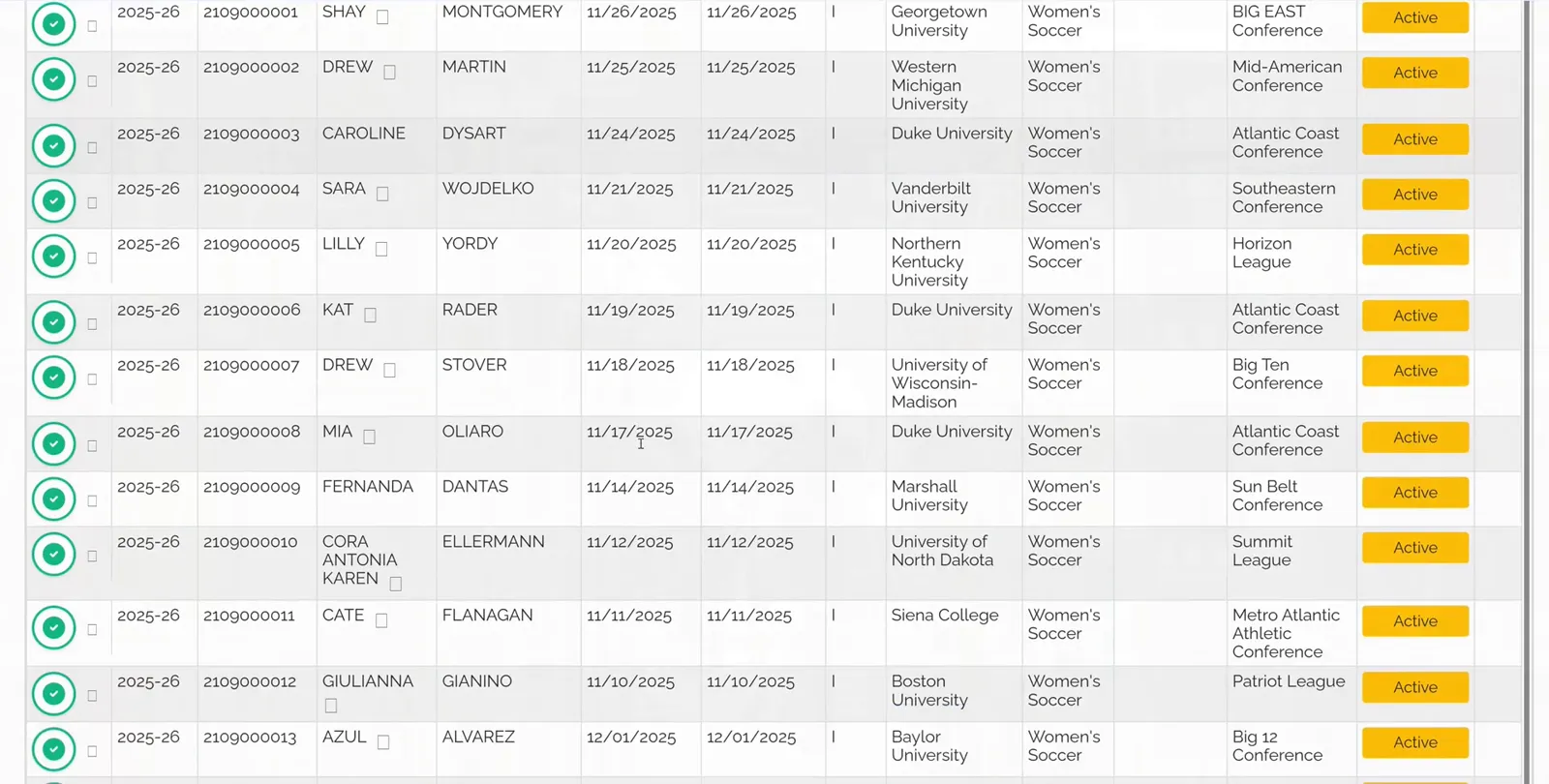
Log in to the NCAA Transfer Portal as normal, in the same browser you installed the extension on. A new TWL column appears on the left of the table with a blue arrow next to every athlete.
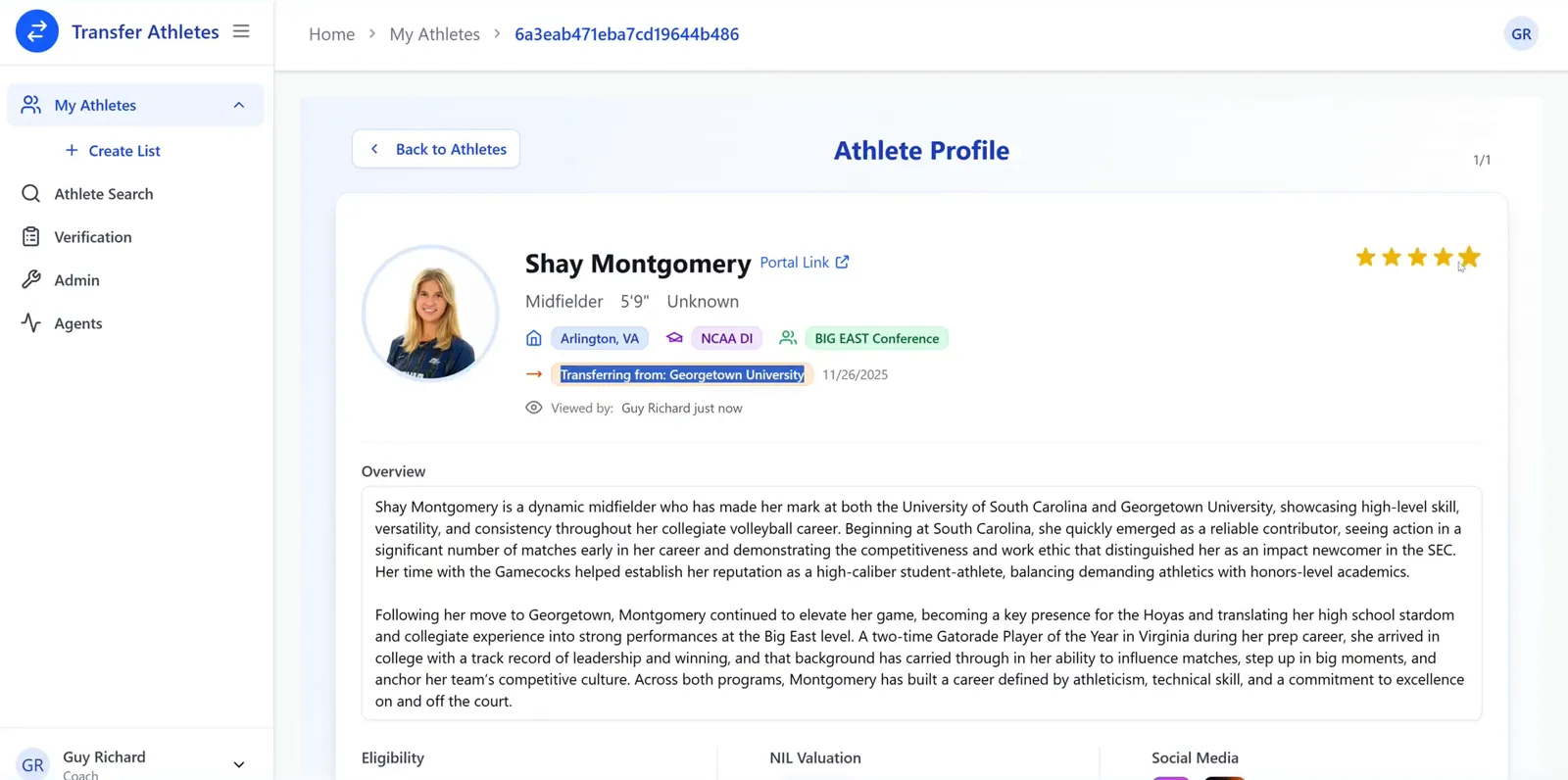
When it's done, the arrow becomes a green checkbox. Click it to open the report — bio, eligibility, stats, NIL valuation, social media, and a written scouting overview.
Bulk search the page
The second way — search the whole page at once.
- Toggle the Transfer Portal's Display dropdown to show 500 rows at a time.
- Click Search All at the top right.
- Confirm in the popup — it tells you how many new athletes it found and roughly how long it'll take.
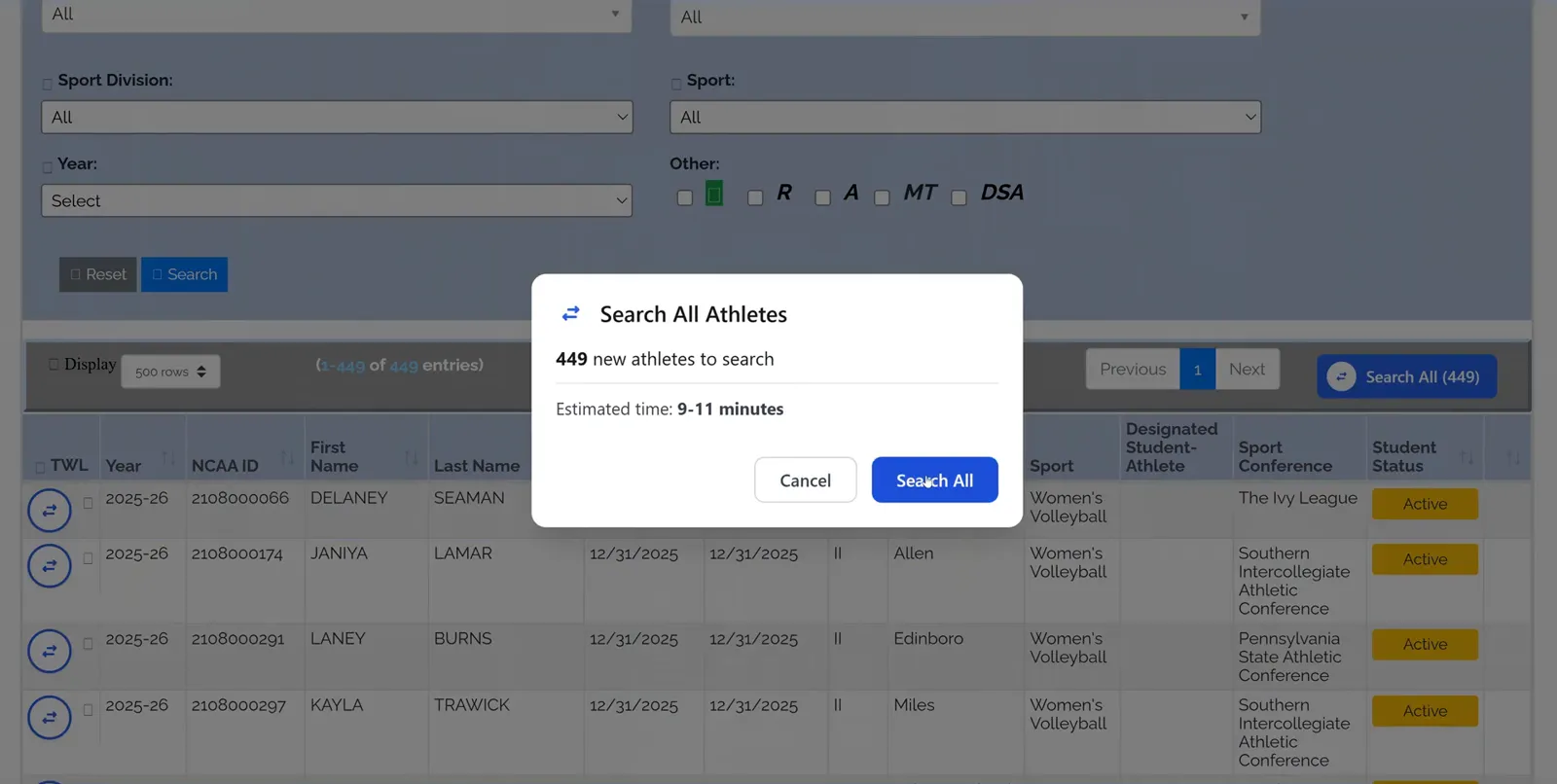
It runs everything in the background. When it's done, every athlete has that green checkbox that you and your staff can click straight through to.
Search off the portal
The third way — even athletes who aren't in the portal can be scouted. NAIA, JUCO and international athletes all work.
Go to the Athlete Search tab on the left side, enter their first name, last name and current college, then click Run AI Search and let the scouting agent do the rest.
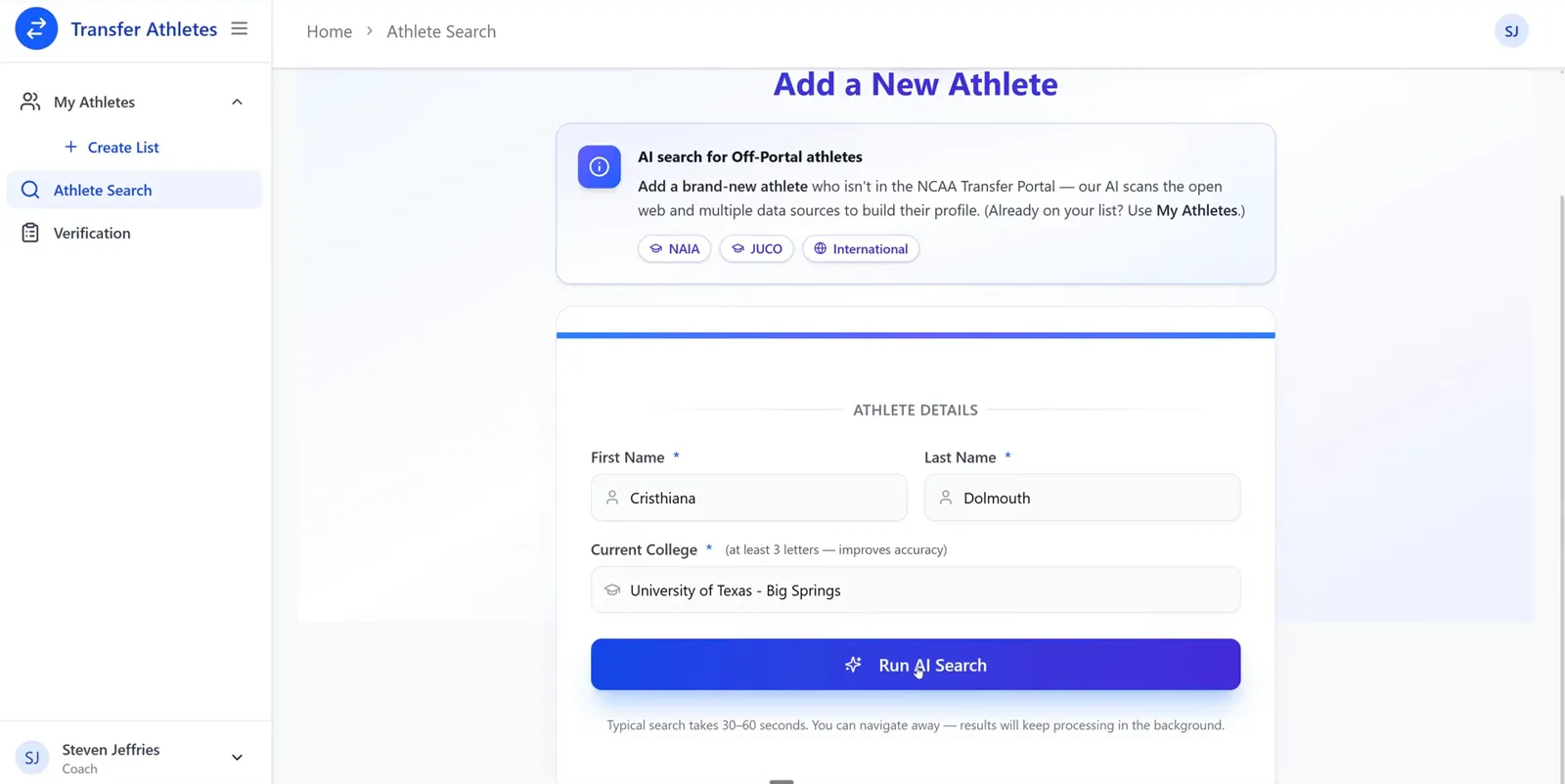
A typical search takes 30–60 seconds. You can navigate away while it runs — it keeps processing in the background and shows up in your sidebar until it's finished.
Filter your master list
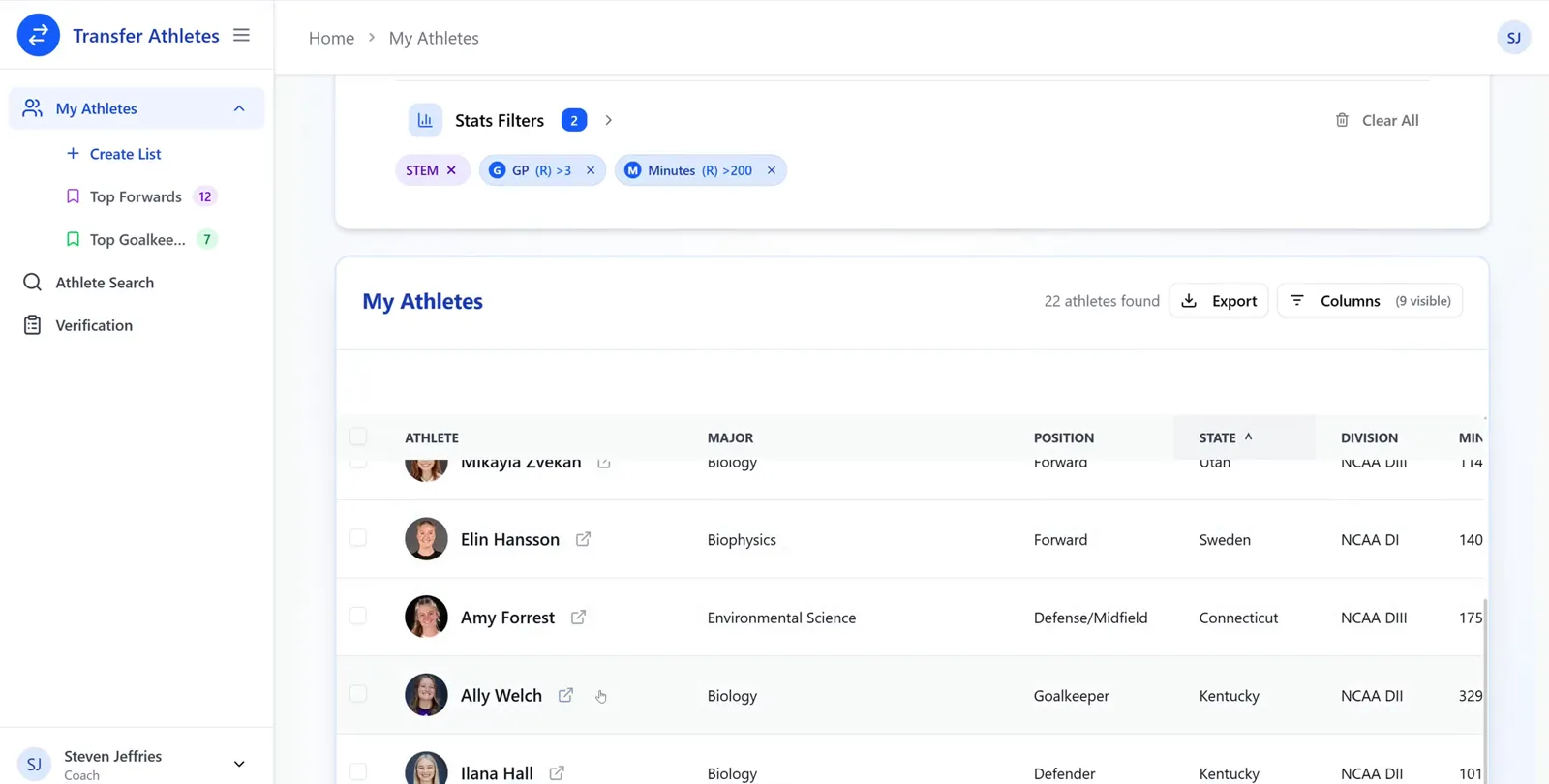
This is the real reason to use Transfer Athletes. Every search — single, bulk or off-portal — lands in the same list. Open My Athletes and click Show Filters.
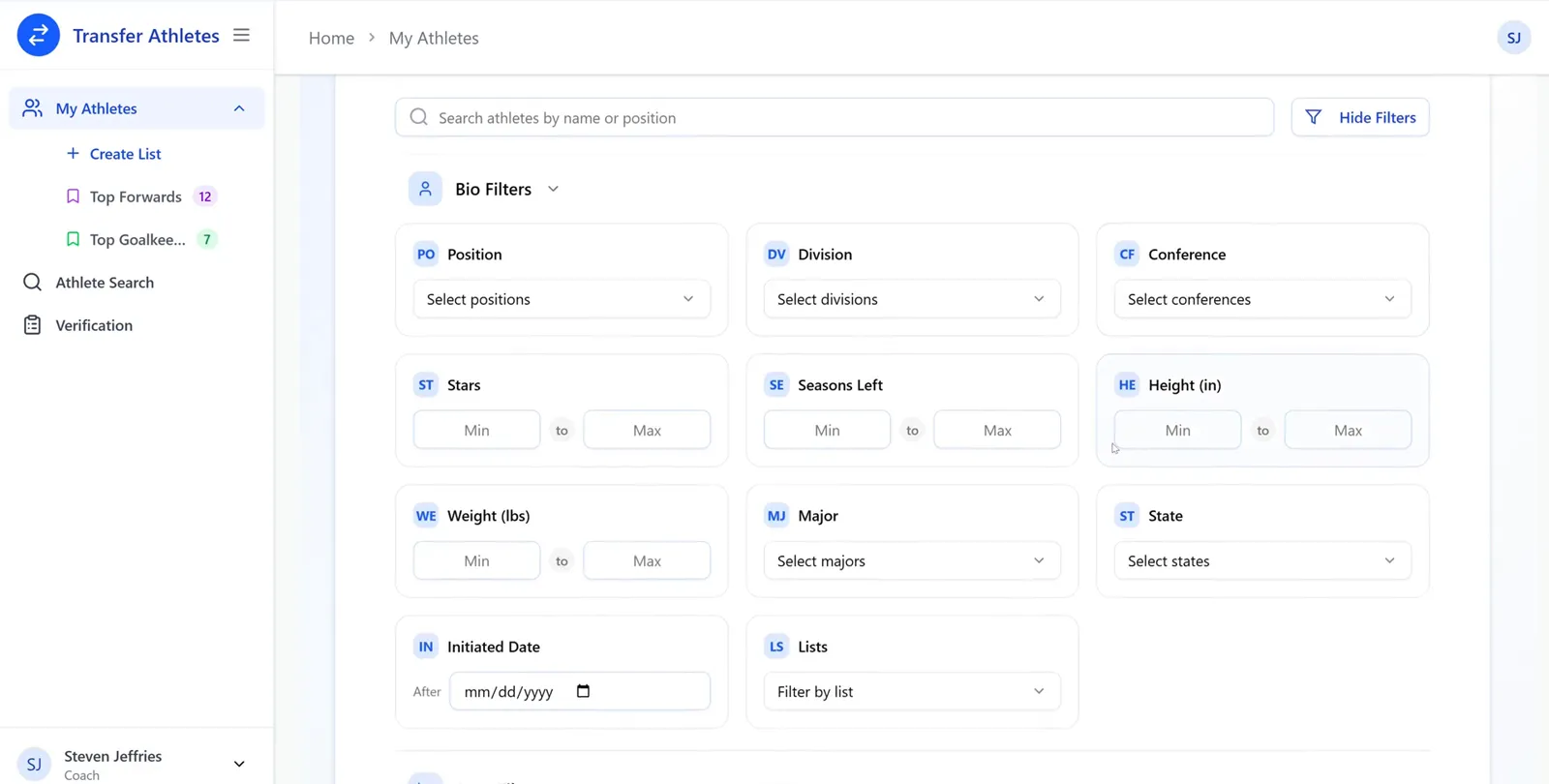
- Bio filters — position, division, conference, stars, seasons left, height, weight, major, state, date entered, and your own saved lists.
- Stats filters — set a min and max on games played, minutes, goals, assists, points and more, for a recent season or a career total.
Each filter you add shows up as a chip you can remove, and the athletes found count updates as you go.
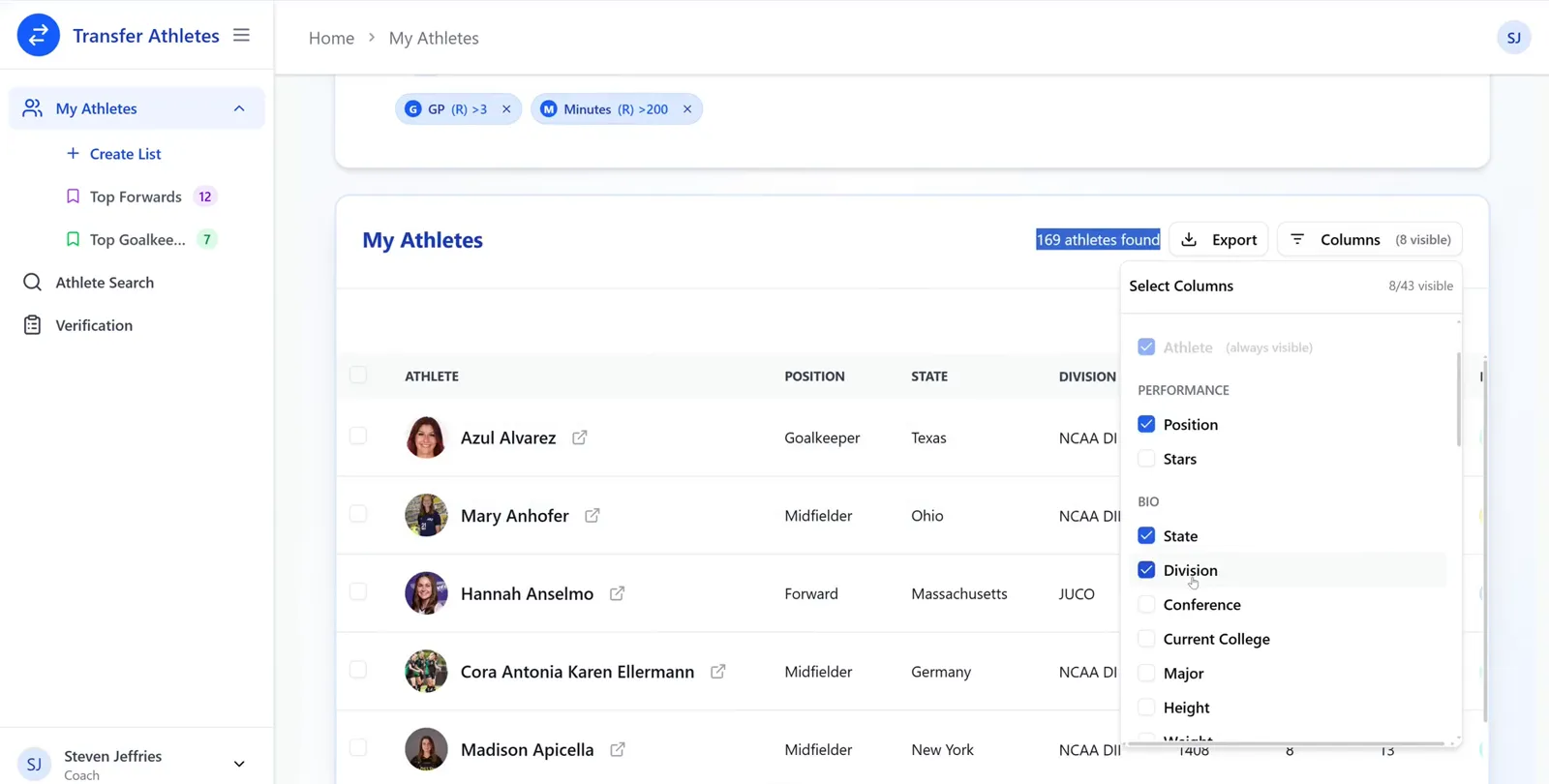
Add and remove columns on the table, drag them into the order you want, and click any header to sort by it. When you're happy with the list, Export it to a spreadsheet.
If something isn't working
Quick troubleshooting
This one catches almost everybody, and it's an easy mix-up to make — there are two separate things you're signed in to, and they look a lot alike.
- The NCAA Transfer Portal — the website itself, in the browser tab.
- Transfer Athletes — our little app, behind the blue arrow logo in your browser's toolbar, up next to the address bar.
It's ours you need to sign out of, not the portal. Signing out of the portal won't change anything here.
So: click the blue arrow logo in your toolbar. A small panel drops down — the same one from Step 3. Click Logout at the bottom of that panel, then sign back in there with your email and password. Once you've done that, refresh your Transfer Portal tab and your searches will work again.
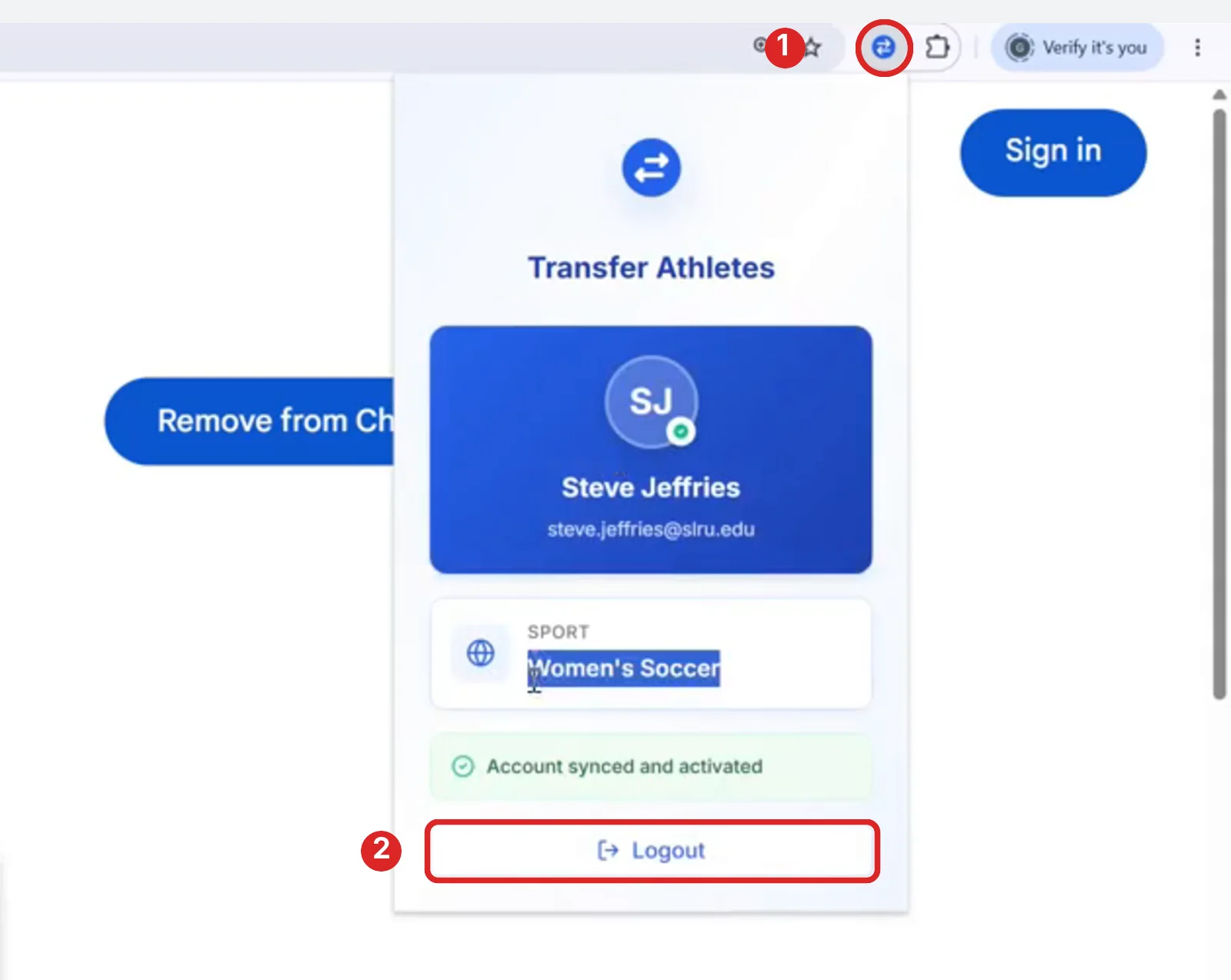
If you can't spot the blue arrow in your toolbar, it just isn't pinned yet — Step 3 shows you how, and it takes about five seconds.
Still stuck?
Reach out anytime — we're happy to help you get set up.
Email support@transferathletes.com